When Is the Best Time to Enable the Payably Plugin?
PrintSmith Vision • Operations • FAQ
Here’s the reality of being a small business owner: life happens, and things never feel like they slow down. There’s always another rush job, another staffing challenge, another deadline that takes priority over everything else on the to-do list.
When print shop owners hear about adding payment processing to their PrintSmith Vision setup, many assume it means weeks of disruption, IT consultants, and the kind of technology headache that derails an already-busy operation. That assumption keeps good solutions sitting on the back burner indefinitely.
The truth is far simpler. And understanding the difference between a plugin and a traditional integration might change how you think about the timing question entirely.
This Is a Plugin, Not an Integration
The word “integration” comes with emotional baggage. It implies that you have to hire consultants, that you will be burdened with IT projects, system migrations, and weeks of disruption. It suggests complexity, risk, and a significant time investment before you see any return.
Plugging in Payably is simple, not overwhelming and time consuming.
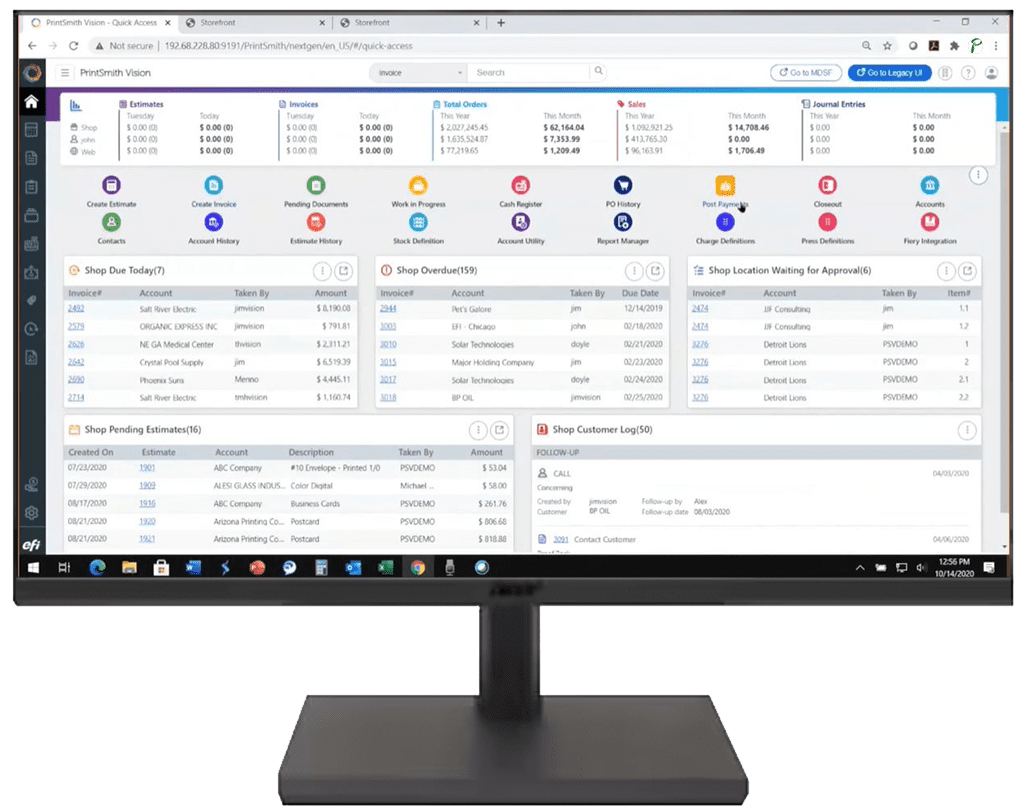
Payably is a plugin—purpose-built software that connects directly to PrintSmith Vision without interrupting your existing workflows, data, or operations. Think of it like adding an app to your phone. Your phone doesn’t shut down. Your photos don’t disappear. Your contacts remain exactly where they were. You simply gain a new, robust functionality that wasn’t there before.
The distinction matters because it changes the entire calculus around timing. You’re not scheduling a major technology project. You’re enabling a feature.
Traditional Integration
- Weeks of planning and preparation
- IT resources or consultants required
- System downtime during implementation
- Data migration risks
- Workflow disruption across the team
Payably Plugin
- 2-3 minutes to configure
- No IT department needed
- Zero system downtime
- No data migration whatsoever
- Existing workflows unchanged
What “Going Live” Actually Looks Like
Your business doesn’t shut down. Your presses keep running. Your CSRs keep taking orders. Your production schedule stays intact. Here’s what actually happens:
Configuration
We enable the plugin in your PrintSmith Vision environment. This takes 2-3 minutes. You can be on a sales call, running a press, or grabbing coffee while it happens. There’s nothing for you to install, no software to download, and no settings to configure on your end.
Training (Your Schedule)
We schedule end-user training around what works for you and your team. Early morning before the shop opens? After hours when the presses are quiet? During a slow lunch period? You decide. Training covers everything your team needs to know, and we’re available for questions afterward.
Start Collecting
Your next invoice goes out with a Pay Now button. Payments post automatically to PrintSmith Vision. You’re live. There’s no switch to flip, no go-live date to coordinate around, no holding your breath while systems sync. It simply works.
Once you’re set up, you also gain access to additional tools like Text-to-Pay—which lets you send payment requests directly to customers’ phones. With a 95% open rate compared to 20% for email, it’s one of the fastest ways to close out invoices.
Total Disruption to Your Business
Zero Minutes
So When Is the Best Time?
Honestly? The best time is now.
Not because we’re trying to create urgency, but because every week you put it off has a real cost:
- Your invoices sit in customer inboxes waiting to be paid, while you wait for checks or chase down credit card numbers over the phone
- Manual payment posting eats up time that could be spent collecting payments, selling jobs, or managing production
- Cash flow gaps compound, especially during busy seasons when you need working capital most
Maybe the “right time” doesn’t exist. Print shops are busy in January catching up from the holidays. They’re busy in spring with graduation season. Summer brings vacation schedules. Fall means back-to-school and holiday prep. There’s always something.
But 2-3 minutes of configuration and a training session scheduled around your calendar? That’s something every print shop can fit in—regardless of what else is happening.
The shops that have made the switch consistently tell us the same thing: they wish they’d done it sooner. Not because the old way was terrible, but because the new way is so much easier that every week spent on manual processes feels like a week they can’t get back.
See How It Works in 15 Minutes
A quick call with our team will show you exactly how the plugin connects to your PrintSmith Vision setup. No pressure, no lengthy sales pitch—just a focused conversation about whether this makes sense for your operation.
Schedule a Demo